Eighth Graders continued to learn about redesigning on a grid by choosing their favorite restaurant menu and redesigning it. They considered different formats and how to align their columns and rows to create a visually appealing menu that would be easy for people to read and attract people to the restaurant. Check out the new and improved menus below!
Showing posts with label 8th Grade Digital Arts. Show all posts
Tuesday, May 13, 2014
Monday, May 12, 2014
Typography -What's in a Phrase?
Eighth grade Digital Arts has returned to the curriculum once again, and they started their semeter with a study of typography. We discussed why companies use different fonts and colors for their logos and brand names. They took a couple of quizzes to see how important color and style is in recognition of a logo. You can try your hand at it too (see links below). Then students were asked to illustrate a common phrase using typefaces and colors only (no images!) They chose a phrase that had visual opportunities to uniquely interpret it. The goal was to come up with an interpretation that explains the phrase, and adds a new level of meaning to it, or makes the audience think about it differently than when it is simply spoken.
Thursday, January 16, 2014
Redesign Menu
Eighth Graders continued to learn about redesigning on a grid by choosing their favorite restaurant menu and redesigning it. They considered different formats and how to align their columns and rows to create a visually appealling menu that would be easy for people to read and attract people to the restaurant. Check out the new and improved menus below!
Tuesday, November 26, 2013
WE WANT YOU!
Friday, November 1, 2013
Kaleidoscopes & Macro Photography
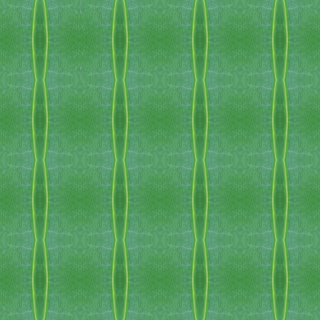
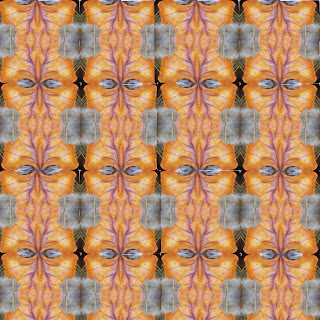
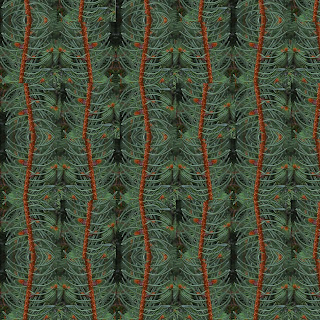
Macro photography is the art of taking close-up pictures to reveal details which can’t be seen with the naked eye. These images are highly focused and detailed and are often used for nature shots. In this project, students walked around the campus of Calvert to take macro photos of their own using the macro camera setting. They focused on interesting shapes and forms while paying close attention to color, lighting, and composition. After selecting their favorite photo, they used Photoshop to crop it even more and then rotated, flipped, and duplicated the cropped tile to form an abstracted kaleidoscope image. Below is a brief example of the process. Students took their original photograph and cropped a section that would add interesting shape, dimension and color to their kaleidoscope. Then, brought the cropped image into Photoshop, where they flipped, rotated and duplicated the image to create the desired result.


Wednesday, October 30, 2013
Stop-Action movies
First semester, 8th grade Digital Arts class created stop action animation videos in Windows Movie Maker. They were given a choice to make an object move using 150-400 pictures to show movement. The students shared with me that they learned a great deal from this project. Primarily - PATIENCE! It take a lot of patience to take that many pictures and try to maintain a smooth appearance. They learned that using a tripod or table to steady the camera may have helped them. The following are the student's videos that are complete.
Monday, October 7, 2013
8th Digi Arts - Typography Project
Eighth grade Digital Arts has returned to the curriculum once again, and they started their semeter with a study of typography. We discussed why companies use different fonts and colors for their logos and brand names. They took a couple of quizzes to see how important color and style is in recognition of a logo. You can try your hand at it too (see links below).
Then students were asked to illustrate a common phrase using typefaces and colors only (no images!) They chose a phrase that had visual opportunities to uniquely interpret it. The goal was to come up with an interpretation that explains the phrase, and adds a new level of meaning to it, or makes the audience think about it differently than when it is simply spoken.
Subscribe to:
Posts (Atom)


